With Featured Campaigns on TWINT Giving Portal you can reach even more potential donors and bring them directly to your donation form.
Costs, duration and budget of Featured Campaigns are explained in our article on targeted campaigns. You plan your campaign directly in TrueTurn Bridge.
You are already listed in the TWINT Giving Portal and are currently preparing your Featured Campaign? Before you upload the texts and images for your campaign in TrueTurn Bridge, please read the following tips.
Before you start
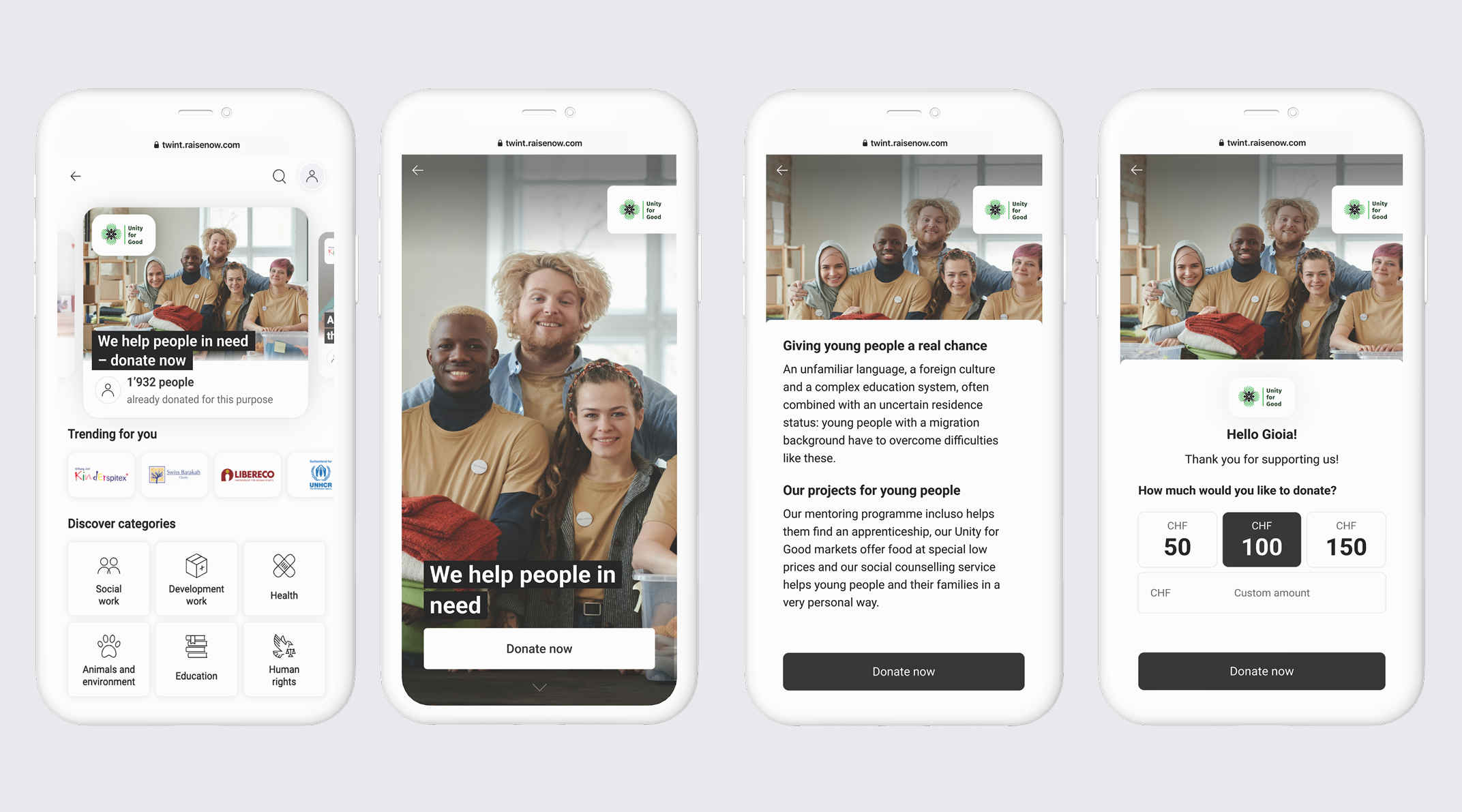
Here you find an overview of the different elements of a Featured Campaign.
The teaser (1) is the first thing the TWINT Giving Portal visitors see. With one click they will be redirected to the campaign (2). The CTA button "Donate now" leads directly to the donation form.
Tips for your Teaser (1):
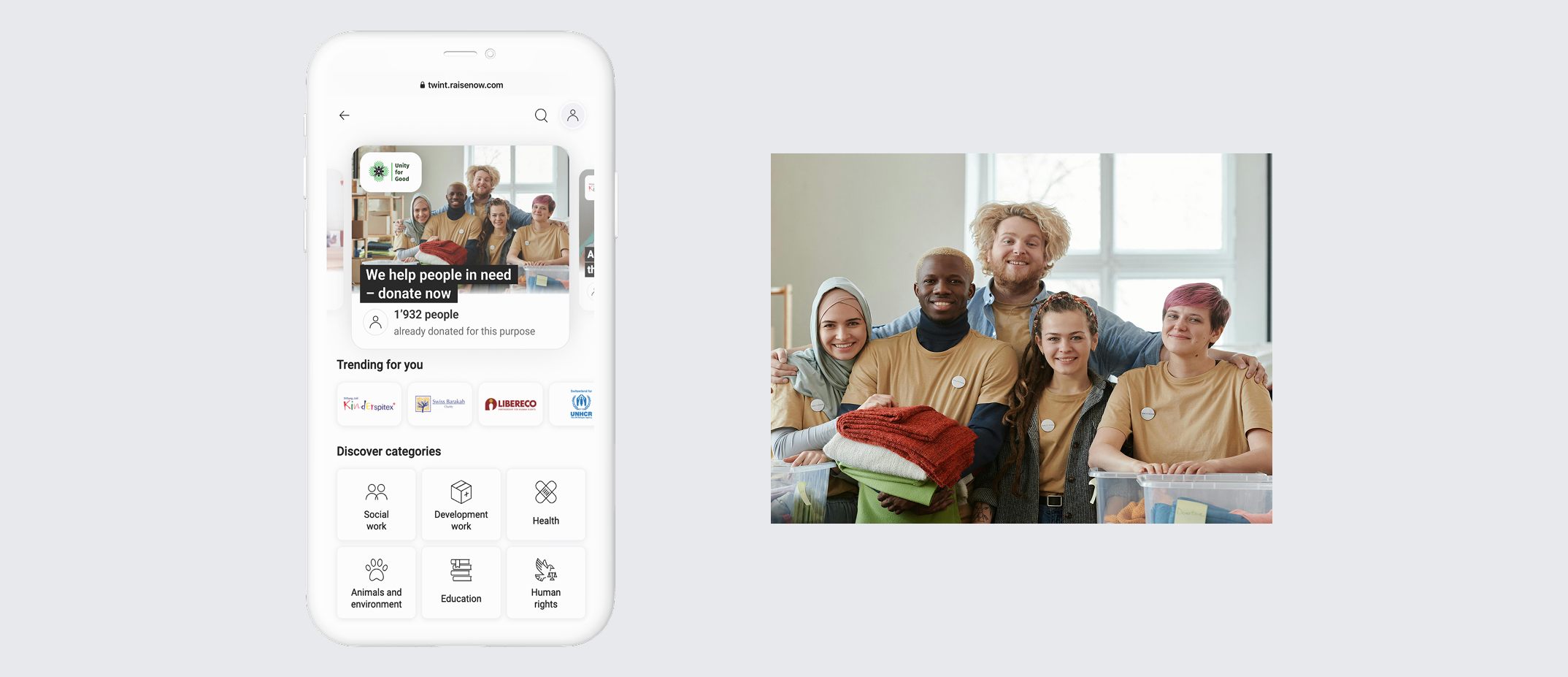
Select a suitable photo and a title here to increase interest in your campaign among potential donors.
You can as well use one of your campaign images, it is only important to provide the teaser image in the size 1400 × 840 px. The format must not be exceeded, otherwise the subject might be cut off.
Tips for your campaign page (2):
On your campaign page you can tell the TWINT Giving Portal visitors more about your campaign. You can add images, titles and a meaningful text.
Campaign images
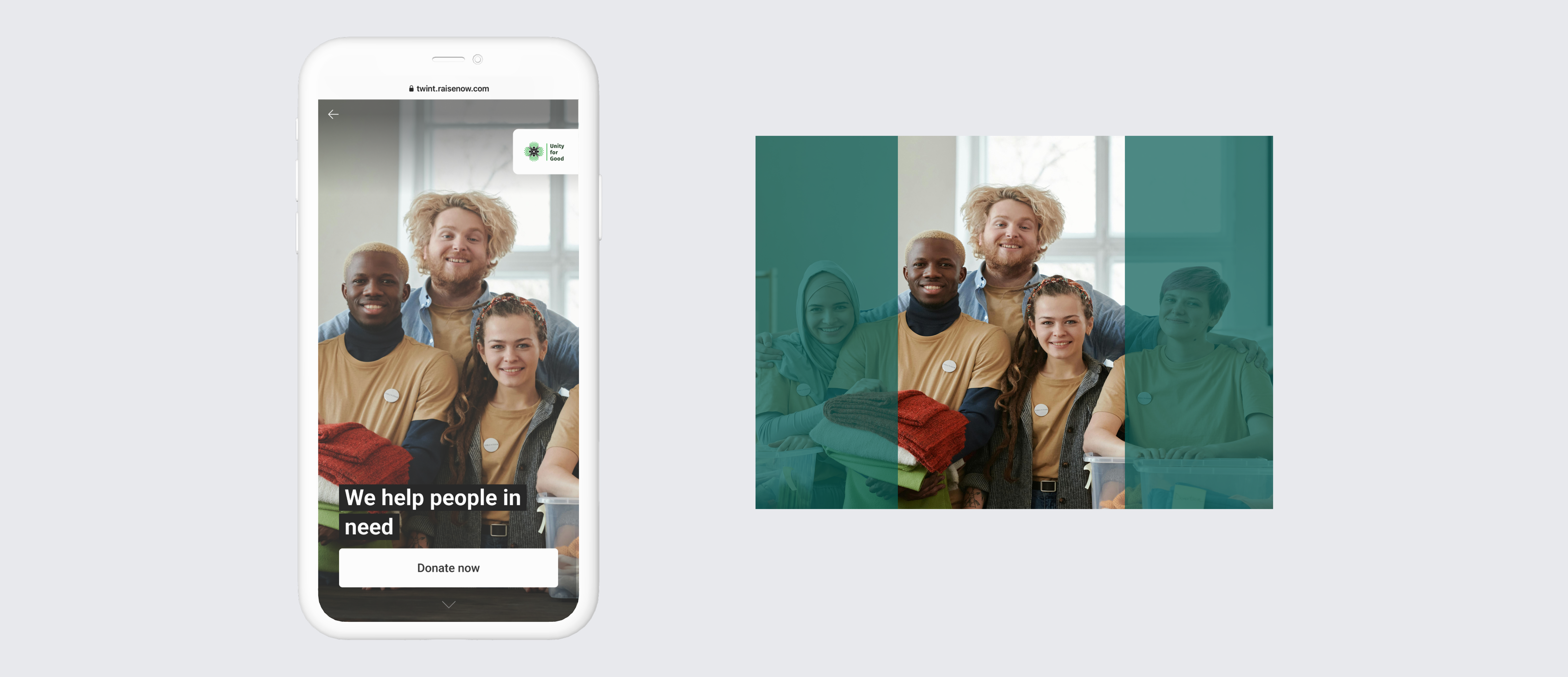
- Your campaign images should be 1080 × 1920 px (portrait format).
- Note: The images are displayed vertically. Please make sure that the focus is in the middle of the image.
- File size and format: Please try to keep the images below 200 KB and save them as JPEG.
- Ideally, you'll use an image editing program like Photoshop or similar to create the right format.
Slideshow
%20(1).gif)
The slideshow gives you even more possibilities to tell a story. You can upload up to 5 images with different visuals and associated headlines.
Video
If you want your campaign to stand out even more, there is the possibility to show a video instead of images. Please implement the following requirements for your video:
- In portrait format 1080 x 1920px, as mp4 file and video codec H.264.
- The video must not exceed the size of 100 MB and have a maximum length of 30 seconds.
- Without integrated logo (will be faded in automatically).
- Without audio and without text; however, headlines can be added by us as with the images.
- Ideally as a loop so that the video plays automatically.
- Please also upload a still image of 1280 × 960 px.
Text
.jpeg)
Share more about your campaign, you can write up to 550 characters. To improve the clarity of the text, feel free to use subtitles.
Now your campaign material is ready! Upload your texts, images or video directly in TrueTurn Bridge when you set up your Featured Campaign.